
Why Most Follow-Ups Happen at the Wrong Time
Here’s the pattern we see too often:
- You send a follow-up too early — before the dust has settled.
- Or too late — after the customer’s forgotten you.
- Or worse — you don’t send one at all.
The timing’s off, the message feels out of place, and the opportunity quietly dies.
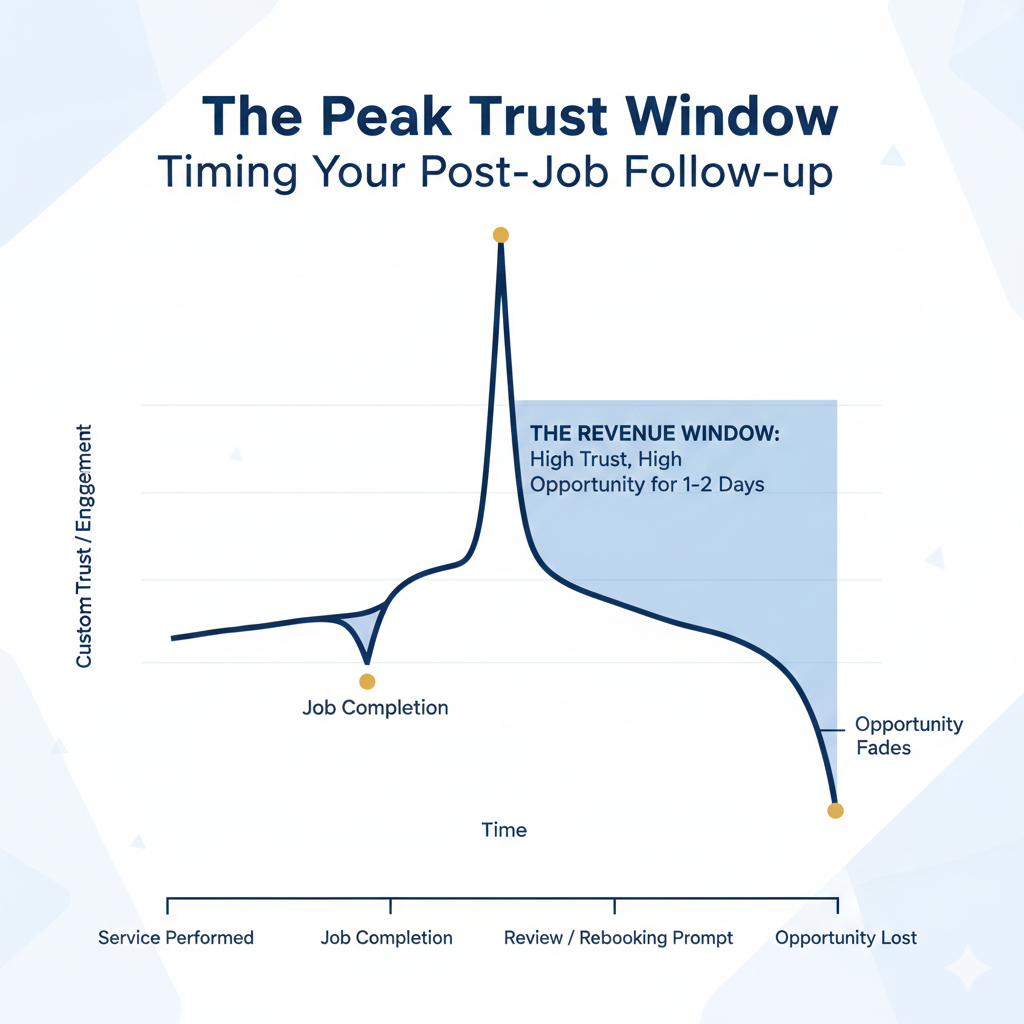
But job completion? That’s your moment.
- The service is done.
- The value’s been delivered.
- The client still remembers your name.
It’s the highest trust window you’ll get — and most businesses let it slide by.
What “Job Completed” Actually Signals
In Jobber, it’s just a status. A box ticked.
But in lifecycle automation? It’s a revenue signal.
Here’s what it actually tells you:
- Satisfaction window: The client has seen your work. They’re ready to judge it — good or bad.
- Upsell openness: If it went well, they’re more likely to consider what’s next.
- Review readiness: They’ve got fresh context. Perfect time to ask.
- Retention opportunity: Most repeat work starts here — if you know what to do with it.
“Job completed” isn’t admin. It’s a trigger.
Used right, it becomes the start of your next revenue cycle — not the end of the last one.
How Job Completion Fits Into the Lifecycle
Here’s the shift:
One job ≠ one customer.
And job completion ≠ the end of the story.
It’s a transition point — from doing the work to reinforcing the relationship.
Without a lifecycle view, this moment is usually wasted.
You finish the job. Mark it complete. Move on.
But with proper lifecycle automation for service businesses, you can:
- Sequence your review ask
- Time your rebooking flow
- Personalize your next-touch based on job type
Related: lifecycle automation for service businesses
Revenue Use Cases Triggered by Job Completion
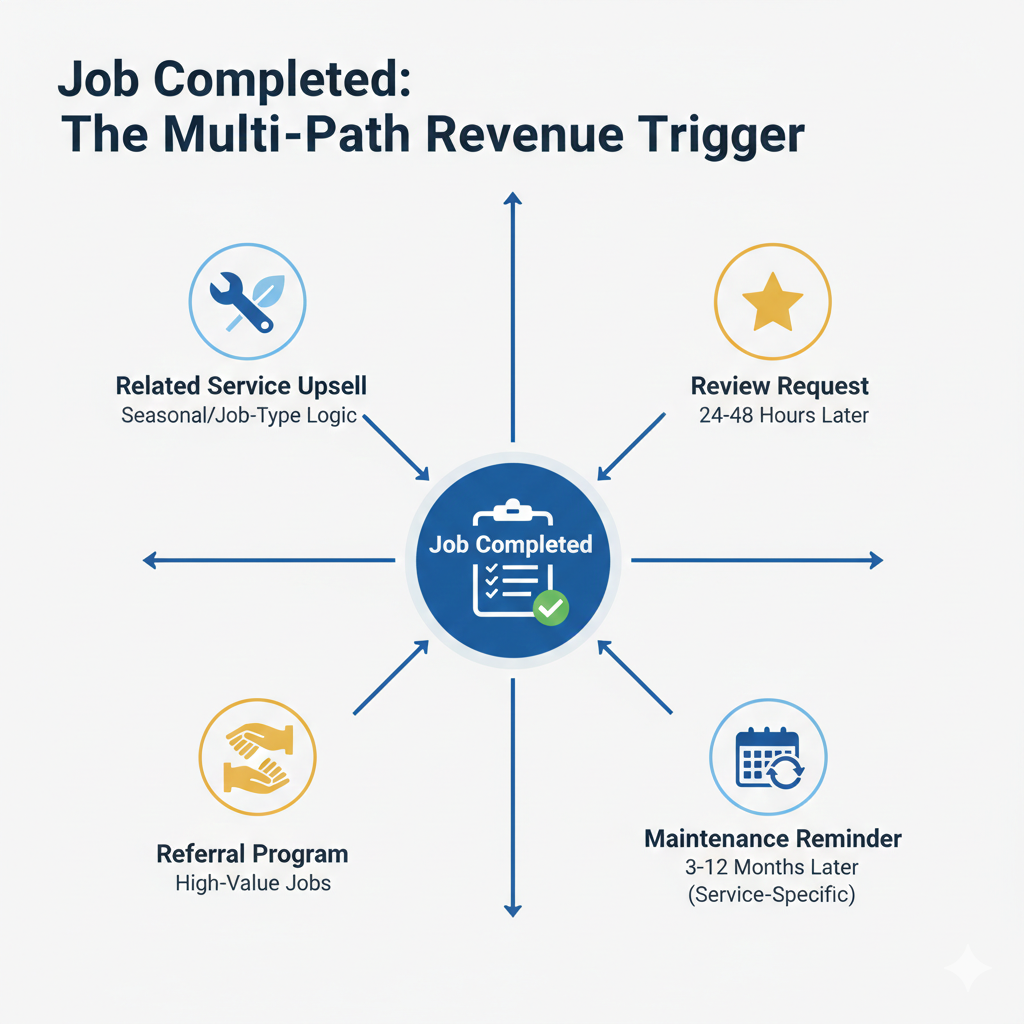
Let’s make this concrete. Here’s what “job completed” can drive:
- Review Requests: Not immediately. Not days later. But 1–2 days after completion, conditional on invoice paid or CSAT rating.
- Maintenance Scheduling: Trigger reminders based on service type — e.g., 6-month HVAC tune-up or annual gutter cleaning.
- Related Service Recommendations: Use job type as logic. Lawn care in spring? Suggest aeration or pest control in summer.
- Referral Prompts: If the job was high-value or repeat, prompt a referral ask at the trust peak.
None of this is pushy. It’s logical.
And it only works if the timing is right.
Why This Trigger Breaks Without Proper Automation
Here’s where most teams get stuck:
- Jobber sends a completion email.
- Someone manually follows up.
- A reminder gets set in someone’s calendar.
It doesn’t scale. It doesn’t adapt. It doesn’t survive turnover.
Manual follow-ups break. Jobber notifications stop at the inbox.
This is one of the clearest examples of what becomes possible when Jobber and Klaviyo are properly connected.
Related: What you can automate
Why This Is Hard to Fix After the Fact
Every missed job completion is a missed trigger.
You can’t go back and retroactively time a review request. You can’t recapture trust after a delay.
Retention isn’t built in one message. It’s cumulative.
You earn it by showing up at the right time — again and again.
Job completion is your first chance to prove you can.
Don’t waste it.