
Why “Automation” Means Different Things to Service Businesses
Let’s get something straight early.
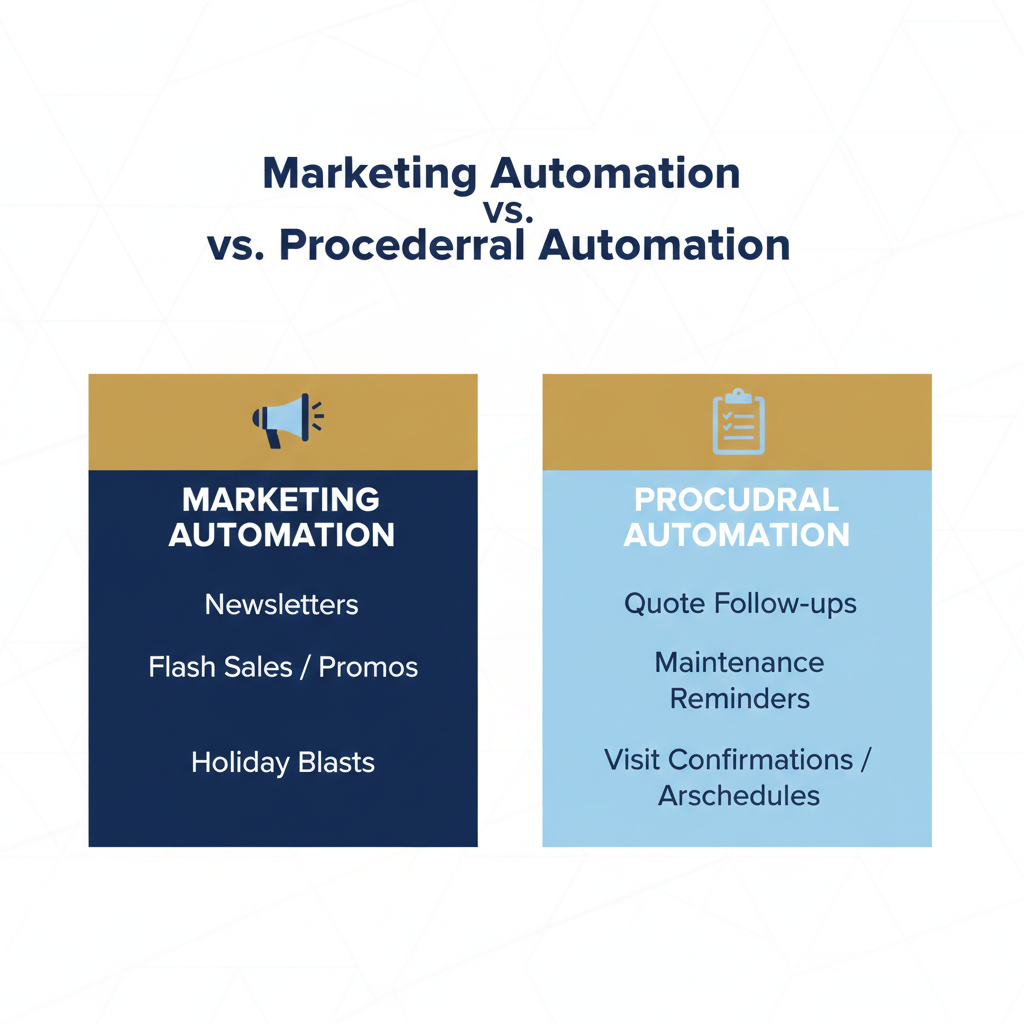
When most folks say “email automation,” they’re thinking newsletters. Maybe a welcome series. If they’re ahead of the curve, a birthday promo.
But that’s not what we’re talking about here.
In service businesses, automation isn’t about marketing — it’s about operations.
It’s about:
- Following up on quotes before they expire
- Reminding customers before their next visit
- Asking for reviews at the perfect moment
It’s not promotional. It’s procedural.
You automate to reduce missed steps, not to run sales.
You’re not automating marketing. You’re automating work.
The Jobber Events That Actually Matter
Jobber tracks everything from quotes to invoices. But not every data point is useful for automation.
Here are the events that actually drive lifecycle communication:
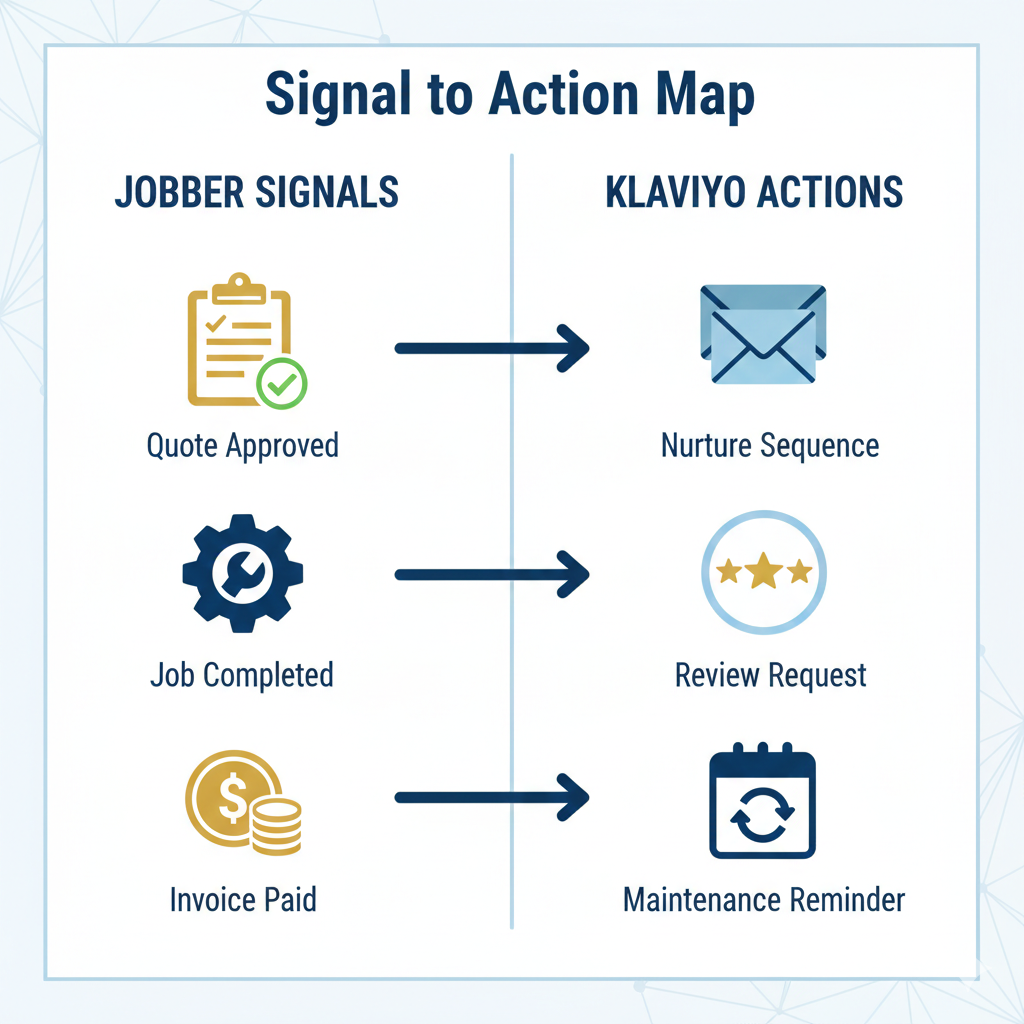
- Quote Approved: Signals intent. You can confirm next steps, pre-sell future services, or prep for job scheduling.
- Quote Expired: A no-response trigger. Time to re-engage or nurture.
- Job Completed: The most overlooked moment. Trust is highest, and the window for action is tight.
- Invoice Paid: A moment of satisfaction. Great for review requests or loyalty-building.
- Visit Scheduled / Cancelled: Opens the door to confirmations, reschedules, and fallback logic.
These aren’t just checkboxes. They’re lifecycle signals.
And when used right, they become the heartbeat of automated communication.
Where Klaviyo Fits in the Picture
If Jobber is where the data lives, Klaviyo is where the messaging happens.
Klaviyo is your execution layer. It handles:
- Segmentation — Who should get what, and when
- Timing — Delays, time-of-day logic, multi-step flows
- Messaging — What each contact sees, based on behavior
But here’s the key: Klaviyo can’t invent context. It can only react to it.
If the only data flowing in is a name and email, you’ll end up with shallow campaigns.
This is why a proper connector matters — not just for syncing contacts, but for syncing signals.
Common Automation Use Cases (Concrete, Non-Salesy)
So what can you actually build when Jobber and Klaviyo are properly connected?
Here’s a quick list — not as templates, but as patterns:
- Post-Job Follow-Up Sequences: A message 2 days after job completion to thank the client, ask for feedback, or explain next steps.
- Maintenance Reminders: Triggered 3, 6, or 12 months after certain services — not based on a calendar, but on actual completion data.
- Review Requests: Tied to invoice paid or job completion. Delayed just enough to feel human, not immediate.
- Service-Type Upsells: If someone books pest control in spring, you tee up mosquito treatment in early summer — based on past services.
- Seasonal Rebooking: Pull in visit history to time rebooking messages based on when someone actually received service, not when a campaign goes out.
These aren’t one-size-fits-all campaigns.
They’re specific, contextual, and low-friction. The kind of messages that feel like your team remembered, not your software guessed.
Why This Only Works With a Lifecycle Mindset
You can build these automations.
But they only work if you stop thinking in one-off messages and start thinking in customer journeys.
Quote → Job → Invoice → Rebook.
Each transition has its own timing, tone, and trigger.
And the real power comes when your system sees this entire path — not just isolated events.
“These automations only work when Jobber data is treated as part of a broader lifecycle, not a one-off trigger.”
Related: warehouse-driven lifecycle automation
Why Most Setups Stall After the First Few Automations
Most teams build the easy stuff:
- A basic welcome flow
- A post-job thank-you
- Maybe a seasonal promo
Then… it stops.
Because the hard part isn’t building the emails — it’s knowing when they should fire.
Revenue leverage comes from:
- The timing of your follow-up
- The context behind the message
- The sequencing across a full lifecycle
Without that, you’ve got a bunch of disconnected flows that sound nice… and do very little.
Job completion, for example, is one of the most powerful signals you’ve got. But most setups don’t use it properly — or at all.
We’ll go deeper into that next.